The same tabs, without opening them one by one.
If you start the day by opening the same five tabs, or you switch between a few jobs that each need their own set of pages, you do the same clicking over and over. Simple Tab Workspaces is for you if you would rather name that set once and open it with one click: mail and calendar for the morning, the pages for one project, the ones you use when you pay bills.
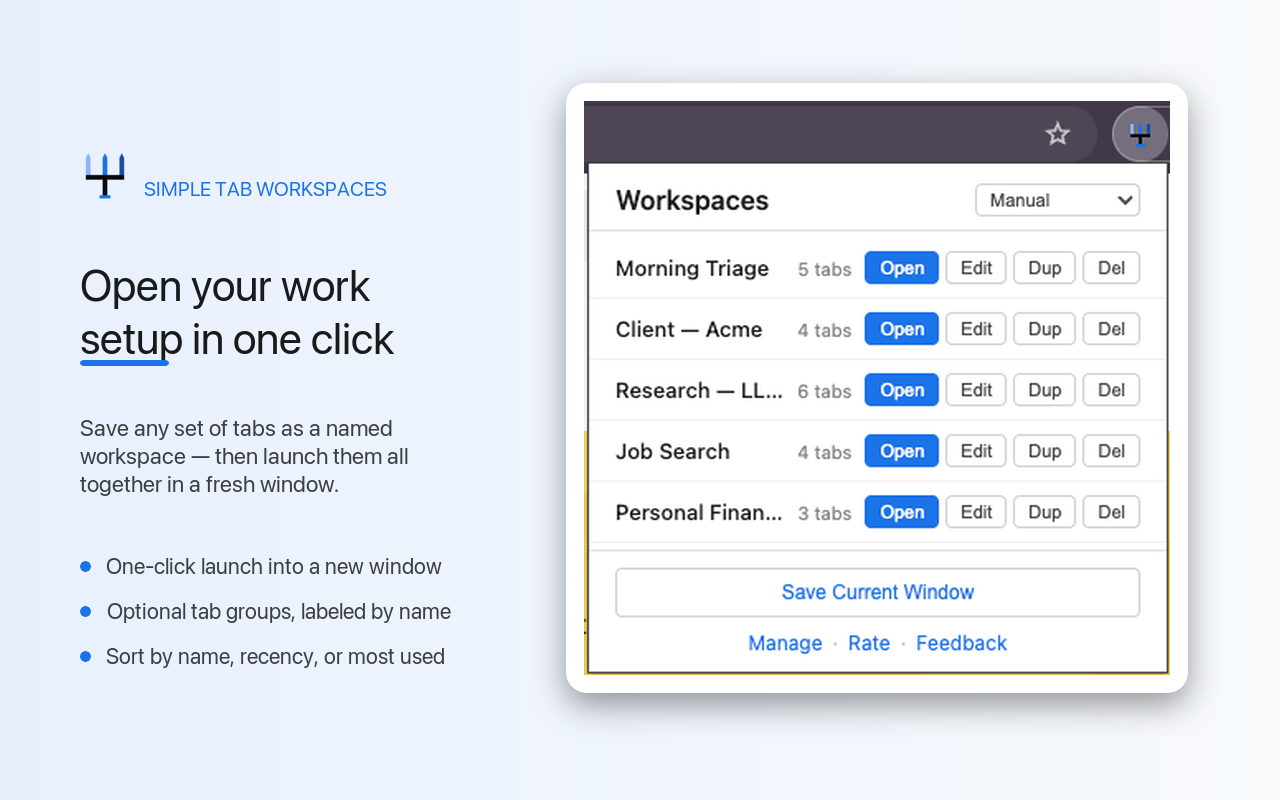
One click to open
Each workspace is a name and a list of pages. Click Open and they all load in a new window, in the order you set.
Save what is open now
Save Current Window turns the tabs you have open into a workspace, so you do not type any addresses.
Pin and focus
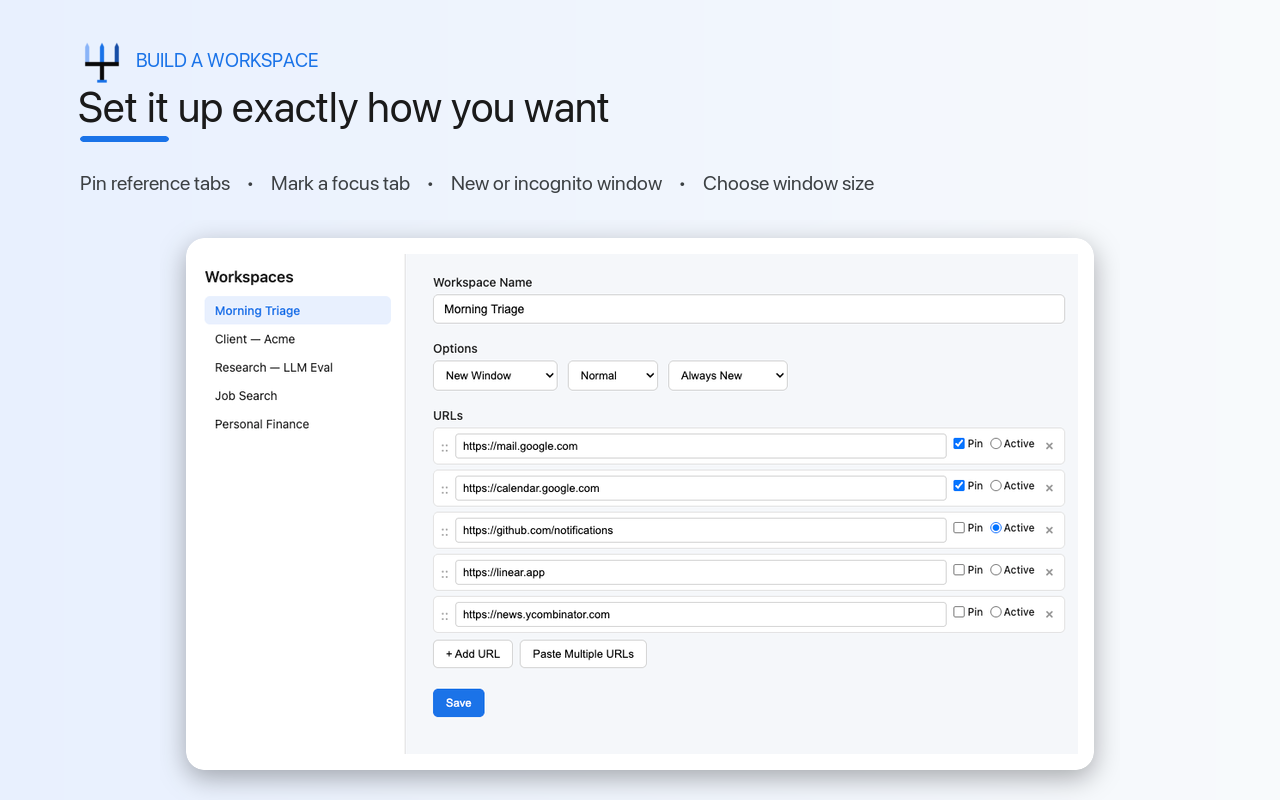
Mark pages to open as pinned tabs, and pick the one that should be in front when the window appears.
Labeled tab groups
Turn on tab group naming and each workspace opens inside a Chrome tab group with its name on it. It is off until you turn it on.
Find the one you want
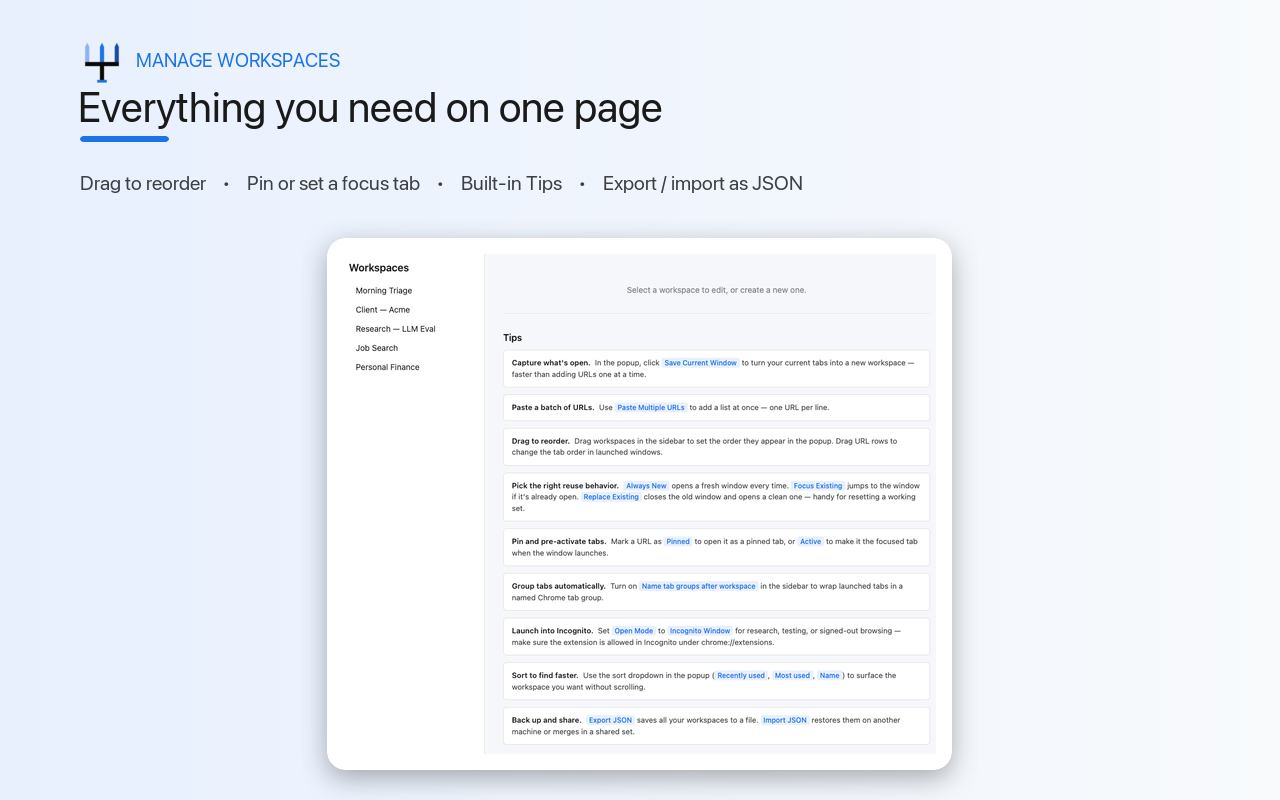
Sort by name, newest, recently used or most used, or drag them into your own order. Hide a workspace you are not using without deleting it.
Take them with you
Export every workspace as a file and import it on another computer.
What it looks like.
Name it once.
Save a set
Open the pages you want and click Save Current Window, or paste a list of addresses on the Manage Workspaces page.
Set it up
Give it a name, drag the pages into order, and choose a normal or incognito window and what happens if it is already open.
Open it
Click the extension, then Open. The whole set loads in its own window.
Stored on your computer, not ours.
There is no account and no server holding your workspaces. Names, pages and settings are kept in this browser's own storage and are never sent anywhere.
- No account. There is nothing to sign up for.
- No workspace names, pages or settings ever leave your computer.
- The extension sends three anonymous counts to Google Analytics: installed, started a session, and uninstalled. Each carries a random ID, the version and nothing about your tabs.
- There is no switch for those counts yet. Uninstalling stops them.
- After Chrome starts, it can offer to save the pages that opened as a workspace. Those addresses stay on your computer, and you can turn the offer off in Settings.
- Questions about any of this: [email protected]
Asked before installing.
- Is this a session manager?
- No. It does not save or restore your browsing state. It opens a list of pages you chose. If you want automatic session restore, a session manager is the better tool.
- Does it sync across devices?
- No. Everything is stored in this browser on this computer. To move workspaces to another machine, export them as a file on the Manage Workspaces page and import the file there.
- How is this different from bookmark folders or Chrome's tab groups?
- A bookmark folder makes you choose Open all and gives you a pile of tabs in the window you are in. A Chrome tab group only exists after you build it by hand in an open window. A workspace is one click: a new window with all its tabs, and, if you turn it on, a tab group labeled with the workspace name.
- Can it open a workspace in an incognito window?
- Yes. Set the workspace to open in an incognito window, and allow the extension in incognito on Chrome's extensions page.
- Does it cost anything?
- No. It is free, with no account and no paid tier.